Southern Highlands · NSW · Est. 2014
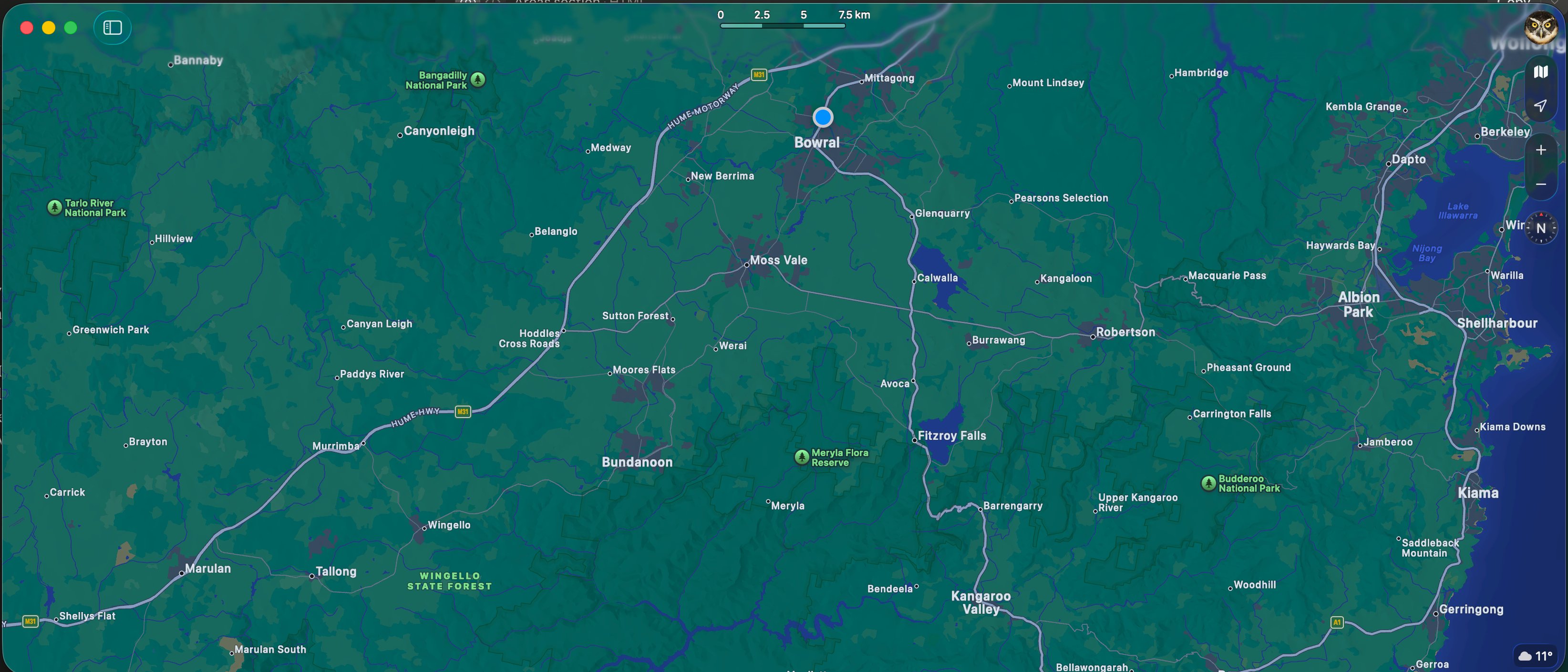
Bowral's most trusted Starlink installer and WiFi specialist. Professional installation, repair & troubleshooting for homes, farms and businesses across Bowral, Mittagong, Moss Vale, Robertson and the Southern Highlands.
Process
No jargon, no guesswork — just a simple process from first call to fully connected.
We come to you and take a proper look at your property — no charge, no obligation.
A solution built around your property, not a one-size-fits-all package.
Neat, careful installation. We don't leave until it's working properly.
If anything ever comes up, we're a phone call away — always local.
A helpful guide
The Southern Highlands has no shortage of people who'll fit a WiFi access point. Here's what to look for when choosing who designs and installs yours — and the questions worth asking before you commit.
A proper installation starts with a network design — not a hardware order. Signal mapping, access point placement, and traffic routing should all be planned before a single cable is run. If someone can quote you on the spot without visiting the property, that's a sign.
There's a significant difference between consumer-grade equipment from a hardware store and enterprise-grade networking hardware. Ask specifically what brand and model of access points, switches, and routers they're installing. The answer tells you a lot.
A well-designed network separates your traffic into VLANs — keeping IoT devices, guests, and your primary devices on separate networks. Without this, a single compromised device can expose everything. Most basic installers skip this step entirely.
Ask who supports the system after installation, and how — and whether remote monitoring is included or costs extra each month. Some providers charge ongoing subscription fees just to keep an eye on your network. The answer to this question is often where the real difference shows.
Our answer to all four: Every Bowral WiFi installation starts with a site assessment and network design. We use enterprise-grade UniFi hardware exclusively, build in proper VLAN segmentation as standard, and monitor every system remotely via UISP — at no ongoing charge. No monthly fees, no support contracts. If something isn't right, we usually know before you do.
What we do
Whether it's a sprawling farm, a holiday rental, or a busy local business — we handle the full stack.
01
Starlink installs, whole-property WiFi, and smart home connectivity — from the house to the furthest shed.
Residential services02
Network infrastructure, UniFi Identity access control, VoIP phone systems, and managed WiFi for your team.
Business solutions03
Guest network isolation, smart lock integration, and one-tap WiFi access — the full Airbnb Secure suite.
Airbnb Secure suiteServices
From a single Starlink install to a full managed network.
Residential
Professional roof mounting, cabling, and bypass mode setup for maximum speed.
Residential
Long-range wireless bridges to cover large acreages, sheds, and outbuildings.
Residential
AI-powered UniFi Protect cameras with no monthly subscription fees.
Business
Use phones as digital keys. Manage staff access from anywhere.
Business
Structured cabling, rack installs, and high-performance routing.
Specialised
Remote WiFi and cameras for areas with no mains power.
What we do
Reliable systems for homes, farms, and businesses.
Whole-property coverage — no dead zones, no dropouts, even in the trickiest layouts.
Properly installed and configured so you actually get the speeds you're paying for.
Cameras, access control and smart monitoring — designed to suit your property.
Sound familiar?
WiFi only works in some rooms
Thick walls and big properties cause coverage gaps. We design around the layout, not just add another box.
Internet drops out randomly
Dropouts almost always have a cause. We find it and fix it properly — not a temporary patch.
Starlink isn't performing
A poor setup wastes most of its potential. We install it properly so you get what you're paying for.
Nothing you've tried has worked
Cheap fixes and guesswork don't last. We design systems that keep working — from day one.
The interesting jobs
The unusual, the creative, the technically awkward — these are the jobs we find most satisfying. Here's a handful of problems worth solving.
Music at the fire pit — 200 metres from the house, no infrastructure
Built a wireless bridge to reach the fire pit area, installed a UniFi outdoor access point, then paired it with a Lithe Audio external WiFi AirPlay 2 speaker system — weatherproof, invisible, and perfectly integrated with the home audio setup.
Full AirPlay audio at the fire pit. No cable trench, no compromise.
Hopewood House gate — no WiFi, no line of sight, heritage property
Ran gel-filled underground cable 50 metres, then climbed a tree to mount the wireless bridge at height — clearing the hill. Painted the conduit and bridge unit to disappear against the bark. Then installed UniFi Access for full gate control.
Invisible installation. Gate control from anywhere. Heritage aesthetics preserved.
Sutton Forest estate — dead gate equipment, house 2km away
Three legacy gate units, all dead. A 2km span most installers would walk away from. Deployed a long-range wireless bridge across the property and installed a fresh UniFi Access system — bringing the gate fully back online and remotely managed.
2km bridged. Gate resurrected. Remote access restored.
Lake Bathurst farm — unoccupied, diesel being stolen, no infrastructure
No power, no internet, no one on site. Deployed Starlink for connectivity, built out a UniFi network, and installed cameras with remote access — so the owner can watch the property from anywhere, in real time, without ever being there.
Remote eyes on an unoccupied property. Theft deterred.
Four remote sites, four different legacy Chinese systems, no unified view
Migrated all four sites to UniFi Protect and built a unified video wall using a UDM Industrial as the backbone — so every camera across every property feeds into a single monitoring interface. No more logging into four different systems.
Four sites. One screen. Full situational awareness.
Hopewood art archive — remote workers on Starlink couldn't access the NAS
Starlink doesn't support port forwarding — a hard wall for most installers. Built a dual-WAN solution with custom firewall rules routing the Mac server and NAS through a second WAN. Added HyperBackup to mirror the archive to Sydney offsite. SLA monitoring included.
Art archive accessible from Sydney. Backed up. Monitored. Secure.
Got an unusual one? Good. Those are our favourite calls.
What locals say
From Bowral to Bundanoon — real feedback from real neighbours.
FAQ
We answer these every week. If yours isn't here, call us — short calls are always free.
Coverage area
Every suburb, every property type. We come to you — no subcontractors, no surprises.
Tell us about your property and we'll put together the right solution.
We'll get back to you within one business day.
We aim to respond within one business day.
In the meantime, feel free to call us on
02 4879 9717
We'll assess your current setup and tell you honestly what's exposed, what's working, and what could be better.
What we check
We'll contact you within one business day to arrange a time.
In the meantime, feel free to call us on
02 4879 9717
We'll get back to you within one business day.
We aim to respond within one business day.
In the meantime, feel free to call us on
02 4879 9717
This section is for architects, builders and specifiers.
Enter the trade access code to continue.
Incorrect code — please try again.
This section is for architects, builders and specifiers.
Enter the trade access code to continue.
Incorrect code — please try again.